
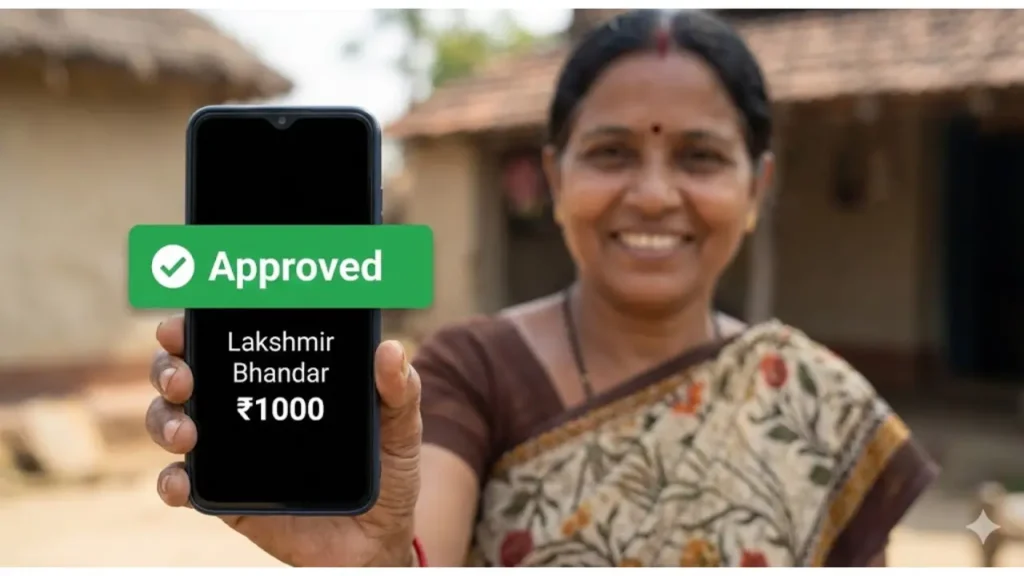
Is the Lakshmir Bhandar amount increasing in 2026? When will the January installment be credited? These are the burning questions for over 2 crore women in West Bengal. As we enter the financial year 2026, the West Bengal Government has updated the verification rules.
While the direct Status Check Link is available in the next step, understanding the Payment Cycle and New Eligibility Rules is critical. If your SMS is not coming, this guide will help you.
👩👧👦 Important for Mothers
Secure your child’s academic future! If your son or daughter is appearing for the Class 10 Board Exam, download the suggestions here:
Lakshmir Bhandar Payment Date Calendar 2026
The Department of WCDSW follows a strict timeline. Below is the Tentative Payment Schedule for the first half of 2026.
| Month | Expected Disbursement Date | Bank Credit Status |
|---|---|---|
| January 2026 | 3rd Jan to 8th Jan | Processing… |
| February 2026 | 5th Feb to 10th Feb | Upcoming |
| March 2026 | 4th Mar to 9th Mar | Upcoming |
| April 2026 | (Poila Boishakh) 2nd Week | Upcoming |
| May 2026 | 5th May to 12th May | Upcoming |
| June 2026 | 3rd June to 8th June | Upcoming |
Note: If money is not received by the 15th, check your Aadhaar Seeding status.
Scholarship Amount 2026 Structure
As of the latest notification, the financial assistance structure stands as follows:
General & OBC Category
For women of General/OBC caste.
Annual: ₹ 12,000 per year
SC / ST Category
For women with SC/ST certificates.
Annual: ₹ 14,400 per year
Why Payment Stopped? (Eligibility 2026)
Payments usually stop if you violate any of the following 2026 Eligibility Criteria:
- ✅ Age Limit: Must be 25-60 years.
- ✅ Resident: Permanent resident of West Bengal.
- ✅ Swasthya Sathi: Active card is mandatory.
- ✅ No Govt Job: No permanent job in Govt/PSU.
- ✅ Aadhaar Linking: Bank account MUST be seeded with Aadhaar.
Ready to check your status?
In the next section, get the Direct Link and learn to check status using Mobile Number.
1. Official Website Direct Link (2026)
The Government of West Bengal has updated the server for 2026. You no longer need to visit the BDO office. You can track your application from your smartphone using the official Social Security Portal.
(Click to open socialsecurity.wb.gov.in)
Method 1: Check by Mobile Number (Easiest Way)
This is the fastest method. You don’t need any documents, just the phone number you wrote on the application form.
- Visit the Portal: Click on the button above to open the “Track Applicant” page.
- Enter Application ID / Mobile No: In the search box, simply enter your 10-digit Registered Mobile Number.
- Security Check: Enter the numeric “Captcha Code” shown on the screen carefully.
- Search: Click on the “Search” button.
- View Result: Your application details (Name, Beneficiary ID, and Current Status) will appear on the screen. Click on the status to see the payment history.
Method 2: Check by Aadhaar Card Number
Sometimes, the mobile number linked to the form gets changed or deactivated. In such cases, your Aadhaar Number is the most reliable way to track your money.
- Step 1: Go to the same “Track Applicant” section on the portal.
- Step 2: Instead of the phone number, enter your 12-digit Aadhaar Number.
- Step 3: Complete the Captcha verification.
- Step 4: Hit “Search”. If your Aadhaar is linked to the scheme, your status will be displayed instantly.
Troubleshooting: “No Data Found” & Errors
Are you facing errors while checking? Here are the solutions to the most common problems faced by applicants in 2026.
❌ Error: “No Record Found”
Reason: Your data entry operator might have entered a wrong mobile number digit, or your form is not digitized yet.
Solution: Check using your Swasthya Sathi Card Number. If that also fails, visit your nearest Duare Sarkar camp.
⚠️ Error: Captcha Invalid
Reason: The security code is case-sensitive.
Solution: Refresh the page once and type the code exactly as shown. Use Google Chrome browser for best results.
🕒 Error: Site Not Loading
Reason: High traffic during fund release dates (5th-10th).
Solution: Try checking status late at night (after 10 PM) or early morning.
Forgot Application ID? How to Recover?
Every applicant is given a unique Application ID (Starting with LB…) on the acknowledgement slip. If you have lost that slip, don’t worry.
You do not strictly need the Application ID to check your status or receive payments. The Aadhaar Number and Swasthya Sathi Card Number are sufficient identifiers. However, if you need the ID for some official correction work:
- Visit the BDO / SDO Office.
- Take your Aadhaar Card.
- Request the “Data Entry Operator” to search your name in the portal.
- They can provide you with your lost Application ID instantly.
Status Shows “Payment Success”, But No Money in Bank?
This is the most frustrating situation for beneficiaries in 2026. You checked your status online, and it says “Payment Success”, but when you went to the bank or ATM, the balance hadn’t increased.
Why is this happening? In 90% of cases, the money has been sent by the government, but your bank has rejected it due to DBT Failure or KYC Issues. In this detailed guide, we will fix every payment issue step-by-step.
1. Solved: “I Did Not Receive SMS”
First, let’s clear a big myth. Receiving an SMS is NOT mandatory.
The SMS notification system often fails due to:
- Server overload during disbursement days (5th-10th of the month).
- Your mobile number is not linked to your Bank Account (only linked to the Application).
- Mobile recharge/validity expired.
The Solution: Do not wait for the SMS. Check your bank balance directly from your home using the Missed Call Service.
🏦 Bank Balance Check Numbers (2026 List)
Find your bank in the list below and give a missed call to confirm if the ₹1,000/₹1,200 has been credited.
| Bank Name | Missed Call Number |
|---|---|
| State Bank of India (SBI) | 09223766666 |
| Punjab National Bank (PNB) | 1800-180-2223 |
| Bangiya Gramin Bikash Bank | (Check via CSP Only) |
| Bank of Baroda | 8468001111 |
| Union Bank of India | 09223008586 |
| UCO Bank | 09278792787 |
| Indian Bank | 08108781085 |
2. The “DBT Failure” Issue: Why Money Stops?
Lakshmir Bhandar payment is sent via Direct Benefit Transfer (DBT). This system does not look at your Account Number/IFSC; it sends money to the Aadhaar Number.
How to Check if Your Bank is DBT Enabled?
Follow these steps on the UIDAI website to confirm:
- Visit the official UIDAI website (myaadhaar.uidai.gov.in).
- Login using Aadhaar Number and OTP.
- Click on “Bank Seeding Status”.
- If it shows “Active” next to your bank name, your account is fine.
- If it shows “Inactive” or no bank name, MONEY WILL NOT COME.
✅ Solution: How to Fix DBT Issue?
If your status is Inactive, you cannot fix it online. You must visit your bank branch physically.
- Step 1: Go to your bank branch.
- Step 2: Ask for the “Aadhaar Seeding Form” or “DBT Mandate Form”.
- Step 3: Fill it out and tick the option: “Use my Aadhaar for receiving DBT benefits from Govt.”
- Step 4: Submit a xerox of your Aadhaar card. It usually takes 48-72 hours to update.
3. Status: “Transaction Failed”
If your portal status shows “Transaction Failed” in red color, the problem is with your Bank Account Type.
Common Reasons for Failure:
- Minor Account: You opened the account when you were below 18, and haven’t upgraded it to Major.
- Jan Dhan Limit: Some Jan Dhan accounts have a deposit limit. If your account balance crosses ₹50,000 or annual transaction limit is reached, the scholarship money bounces back.
- Dormant Account: You haven’t done any transaction (deposit/withdrawal) in the last 6 months.
Decoding Status Messages (What They Mean)
Don’t get confused by technical terms. Here is what your status actually means:
| Status Message | Meaning | Action Needed |
|---|---|---|
| Payment Success | Money sent to bank. | Check Bank Balance. |
| Ready for Payment | Bill generated, waiting for treasury. | Wait for 5-7 days. |
| Transaction Failed | Bank rejected the money. | Fix DBT / KYC at Bank. |
| Beneficiary Name Mismatch | Bank name & Application name differ. | Visit BDO Office. |
Still Facing Issues? Contact Helpline
If your status is correct, DBT is active, but money is still pending for 2+ months, you should lodge a formal complaint.
Helpline Number
8584883847
(10 AM to 6 PM)
Email Support
lakshmir.bhandar@gov.in
(Send details with App ID)
How to Apply for Lakshmir Bhandar in 2026?
If you haven’t applied yet, or if your previous application was rejected, you can apply afresh. In 2026, the application process is strictly Offline through Duare Sarkar Camps or BDO Offices.
Documents Required for New Application
Before visiting the camp, ensure you have the original and xerox copies of these documents to avoid rejection:
- 📄 Swasthya Sathi Card: (Mandatory) – Xerox of the card is a must.
- 🆔 Aadhaar Card: Proof of identity.
- 💳 Caste Certificate: SC/ST Certificate (if applicable) for higher amount (₹1,200).
- 🏦 Bank Passbook: First page showing Account No & IFSC. (Joint Account is NOT allowed).
- 📱 Mobile Number: An active number for OTP and SMS alerts.
- 📷 Photograph: One recent colour passport-size photo.
Frequently Asked Questions (FAQs)
Is the Lakshmir Bhandar amount increased to ₹2,000 in 2026?
As of now, there is no official notification regarding the hike to ₹2,000. The current amount is ₹1,000 for General/OBC and ₹1,200 for SC/ST beneficiaries.
Can I use a Joint Bank Account for Lakshmir Bhandar?
No. It is strictly advised to use a Single Bank Account. Joint accounts often lead to transaction failures because the account holder’s name might not match perfectly with the application name.
What is the age limit for Lakshmir Bhandar 2026?
Any woman who is a permanent resident of West Bengal and is aged between 25 and 60 years is eligible. Once you cross 60, you will be automatically shifted to the Old Age Pension scheme.
My status says “Beneficiary ID Generated” but no money?
If your Beneficiary ID is generated, your application is approved. The delay is likely due to Bank Validation Pending. It usually takes 1-2 months after approval for the first installment to arrive.
Don’t Miss the Next Payment Date!
Join our WhatsApp Group to get an instant alert the moment the Government releases the fund.
📲 Join WhatsApp GroupDisclaimer: Saldiha College Info is an information portal and is NOT associated with the West Bengal Government. All information is sourced from the official website (socialsecurity.wb.gov.in). Please do not share your OTP or Password with anyone in the comments.

Hi, I am Ashish Goswami, the Lead Editor at Saldiha College Info. I am an education enthusiast and content creator passionate about helping West Bengal students with the latest updates on Scholarships, University Results, and Exam Routines. My goal is to simplify official notices for everyone.
Pingback: WB Caste Certificate Status Check 2026 & Download PDF | Apply Online - Saldiha College Info
Pingback: WB Asha Karmee Recruitment 2026 Notification | Salary & District Wise Vacancy List - Saldiha College Info
Pingback: Pradhan Mantri Awas Yojana West Bengal List 2026 (PDF): Check PMAY-G Status - Saldiha College Info
Pingback: Jai Bangla Pension Scheme 2026: Status Check, List & Form PDF Download - Saldiha College Info
Pingback: Bank Account Transfer Application in Bengali (2026 Format PDF) - Saldiha College Info