
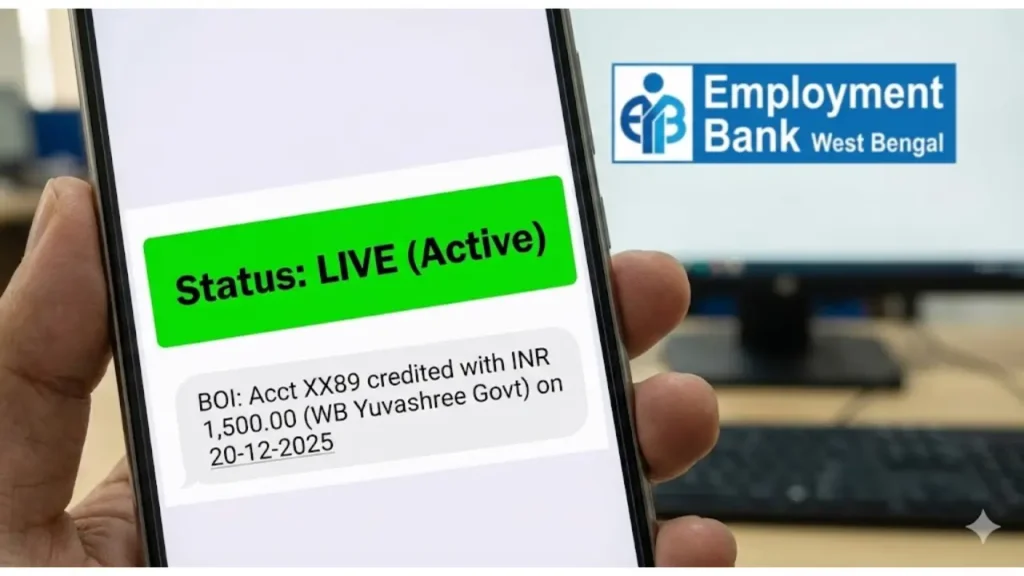
Did you receive your ₹1500 allowance this month? Thousands of unemployed youth in West Bengal rely on the financial assistance provided by the Yuvashree Prakalpa (Yuva Utsaha Prakalpa). However, many candidates face issues like “Payment Stopped” or “ID Suspended”.
Managed by the Employment Bank (WB), this scheme requires regular updates. If you haven’t checked your status recently, you might miss the mandatory Annexure-III submission deadline, leading to permanent cancellation of your allowance.
⚠️ Urgent Update: December 2025 Cycle
The window to submit Annexure-3 (Proof of Unemployment) usually opens in December/January. If your status shows “Live”, you MUST submit this form online to continue receiving ₹1500 for the next 6 months.
Don’t just rely on allowance. Check these massive recruitments:
👉 WB Panchayat Recruitment 2026 (6,652 Posts)
👉 WBPSC Clerkship Result & Cut Off
Yuvashree Prakalpa 2025: At a Glance
Here is the quick summary of the scheme managed by the Labour Department, Govt of West Bengal.
| Feature | Details |
|---|---|
| Scheme Name | Yuvashree (Yuva Utsaha Prakalpa) |
| Managed By | Employment Bank, West Bengal |
| Monthly Allowance | ₹1,500/- per month |
| Mandatory Requirement | Submission of Annexure-3 (Every 6 Months) |
| Status Check Mode | Online (via Jobseeker Login) |
| Official Website | employmentbankwb.gov.in |
🚀 Quick Links
Use the links below to visit the official website. Once there, click on “Jobseeker Login” or “View Waiting List”.
Forgot Your Password? 🔑
Most users forget their Jobseeker ID or Password since they check it rarely. In the next section, we will show you the Step-by-Step Status Check Process and how to recover your password instantly to check if your ID is “Live”.
Check Yuvashree Status Online 📱
You don’t need to visit the Employment Exchange office. You can check your current status (Live/Suspended) directly from your smartphone using your Jobseeker ID.
Steps to Track Your Payment
- Step 1: Go to the official website employmentbankwb.gov.in.
- Step 2: Click on the “Jobseeker Login” button (Top right corner).
- Step 3: Enter your User ID (e.g., WB123…) and Password.
- Step 4: Enter the Security Code (Captcha) and click Submit.
- Step 5: Once logged in, look at your Dashboard. Your status will be displayed next to your Name.
What Does Your Status Mean? 🤔
The status on your dashboard decides whether you will get the money or not. Check the meaning below:
| Status Shown | Meaning | Money Status |
|---|---|---|
| LIVE / ACTIVE | Your application is perfect. | ✅ Will Receive |
| SUSPENDED | You did not submit Annexure-3 last time. | ❌ Stopped |
| SUBMITTED | New application. Waiting for approval. | ⏳ Waiting List |
| MOVED TO ANNEX-3 | Urgent! You need to submit the form now. | ⚠️ Action Required |
🔑 Forgot Password?
It happens! If you can’t login, follow this:
- Click on “Forgot Password” on the login page.
- Enter your Jobseeker ID and Registered Mobile Number.
- A new password will be sent via SMS instantly.
Are You in the New Waiting List? 📋
If you are a new applicant, you won’t get money until your name appears in the Yuvashree Waiting List. The department releases a new list periodically. In the next section, we will provide the Direct PDF Download Link for the New List 2025.
Are You Selected for ₹1500? 📋
If you are a new applicant, you will not see “Live” status immediately. First, your name must appear in the Yuvashree Waiting List. The Employment Bank releases this list based on “First Come, First Serve” seniority.
Check the latest provisional list on the official site:
🚀 Go to Official Website for List💡 Tip: On the homepage, click on the “View Yuvasree Waiting List” link.
How to Find Your Name in the List? 🔍
The PDF contains thousands of names. Finding your name manually is impossible. Follow this trick:
- Step 1: Download and Open the PDF file.
- Step 2: Use the Search Function:
- 💻 Desktop: Press Ctrl + F
- 📱 Mobile: Tap the 🔍 Icon on top.
- Step 3: ⚠️ Important: Do NOT search by Name (Many people have the same name). Always search by your Jobseeker ID (e.g., WB2024…).
- Step 4: If your ID matches, Congratulations! You are selected.
Name Found? Submit Annexure 1 & 2 📝
Finding your name is just the first step. To start receiving money in your bank account, you must submit two hard-copy forms to your local SDO/BDO office.
| Form Name | Purpose | Who Signs It? |
|---|---|---|
| Annexure-I | Application for Assistance. | Self-Attested (You) |
| Annexure-II | Unemployment Certificate. | Group-A Govt Officer |
❌ Name NOT in the List?
Don’t worry. This list is released in batches. It depends on when you applied (Seniority). If you applied recently (in 2024 or 2025), you might have to wait for the next list. Keep checking your status every 6 months.
Already Getting Money but STOPPED? 🛑
If you were already receiving ₹1500 but suddenly it stopped, the reason is Annexure-3. This is different from Annexure 1 & 2. In the final section, we will show you How to Submit Annexure-3 Online to restart your payment immediately.
Why Your Payment Stopped? (Annexure-3)
If you were receiving ₹1500 earlier but it suddenly stopped, the reason is Non-Submission of Annexure-III. This form is a “Self-Declaration” that you are still unemployed.
How to Submit Annexure-3 Online? 💻
You don’t need to stand in long queues at the Employment Exchange. Follow these steps to submit it from your phone:
- Step 1: Visit employmentbankwb.gov.in.
- Step 2: Look for the blinking link: “Submit Annexure-III for Yuvashree”.
- Step 3: Login with your User ID and Password.
- Step 4: Fill the form. You have to select:
- Are you currently employed? 👉 Select NO.
- Are you enrolled in any course? 👉 Provide details if any.
- Step 5: Click Submit. Take a printout of the acknowledgement slip. Your payment will continue for the next 6 months.
🏦 IFSC Code Changed?
Many banks (like UBI, Allahabad) have merged. If your IFSC code has changed, your money will bounce. To update bank details, you must visit your local Employment Exchange office physically with your Bank Passbook. It cannot be done online.
Frequently Asked Questions (FAQs)
When will the Yuvashree payment enter the bank?
The Yuvashree allowance (₹1500) is usually credited around the 10th to 15th of every month. However, sometimes it is credited in a bulk of 2-3 months together.
What happens if I miss Annexure-3 submission?
If you fail to submit Annexure-3 within the deadline, your ID will be Suspended. To reactivate it, you will have to write a written application to the SDO office explaining the delay, but reinstatement is not guaranteed.
How to recover lost Jobseeker User ID?
You can find your User ID printed on your Employment Exchange Card (Enrollment Card). If lost, search your SMS inbox for ‘EBWB’ or visit the nearest exchange with your Aadhar card.
Can I get Yuvashree if I am studying?
Yes, students enrolled in general courses (BA/BSc) or vocational training can apply, provided they are unemployed and registered with the Employment Bank.
Wait! Don’t Miss the Next List
Join our WhatsApp Group to get instant alert when the New Yuvashree List is published or when payment is credited.
📲 Join WB Student GroupDisclaimer: Saldiha College Info is an educational news portal. We are not associated with the Employment Bank or West Bengal Government. For official updates, always visit employmentbankwb.gov.in.

Hi, I am Ashish Goswami, the Lead Editor at Saldiha College Info. I am an education enthusiast and content creator passionate about helping West Bengal students with the latest updates on Scholarships, University Results, and Exam Routines. My goal is to simplify official notices for everyone.